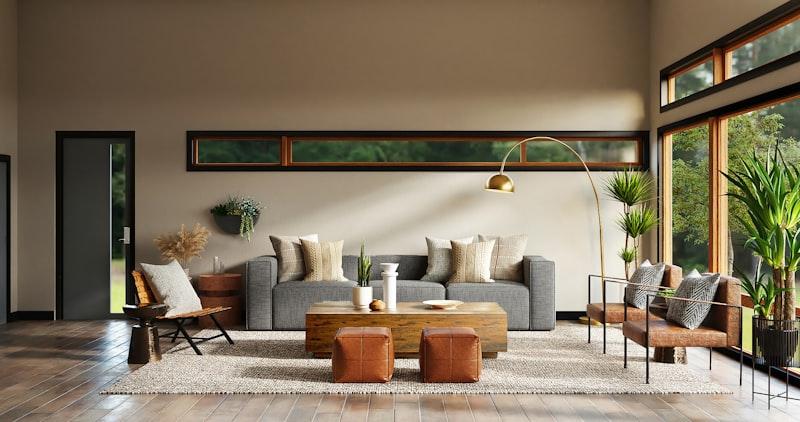
The Ultimate Guide to Beginner Room Design Using AI Tools
By The GenieDIY Team ·March 1, 2026 · 8 min read
The Short Answer
Room design has always been intimidating for beginners because visualising the outcome requires expensive software or professional training. AI eliminates that barrier entirely — upload a photo of any room and the AI handles the heavy lifting: style transformation, furniture placement, and floor planning. You focus on what you love.
Why Traditional Room Design Is Intimidating
Most people know they want their room to look different — they just don't know how to get there. Mood boards feel abstract. Paint swatches are too small. Furniture showrooms don't show you how a sofa looks inside your specific room. That uncertainty is the biggest barrier to getting started.
AI Removes the Uncertainty
GenieDIY works with a photo of your actual room — your walls, your floors, your light. Apply a style and the AI transforms the entire space around your existing architecture. No abstraction, no guesswork.
How AI Acts as Your Digital Design Partner
Here is what GenieDIY does for first-time designers:
90 Room Templates as Starting Points
Browse templates across Living Room, Bedroom, Kitchen, Bathroom, Dining Room, Office, and Outdoor. Filter by style: Modern, Scandinavian, Bohemian, Luxury, Farmhouse, Coastal, and more. Click any template to load it as your design baseline.
3 AI Design Styles
Apply Modern, Classic, or Luxury to any uploaded room photo. The AI respects your room's architecture while transforming the aesthetic. Compare side-by-side with the built-in before/after slider.
110 Elements to Try
Add furniture, plants, rugs, and lighting to your room photo with a single click. The AI places each item naturally — correct scale, lighting, and shadow.
Floor Plan Generation
Generate an AI floor plan from scratch or modify an existing one to explore layout options before committing to structural changes.
Build Your First Design This Weekend
You bring the room photo. We bring the AI design tools. Generate your first room transformation today.
Create a free design and see your room transformed in under a minute.
Start Your First Design